Turn your photo into Studio Ghibli anime art
Soft watercolor skies, warm hand-painted linework, and the gentle glow of a classic Ghibli frame.
Your first portrait is free. No card required.
About the Studio Ghibli style
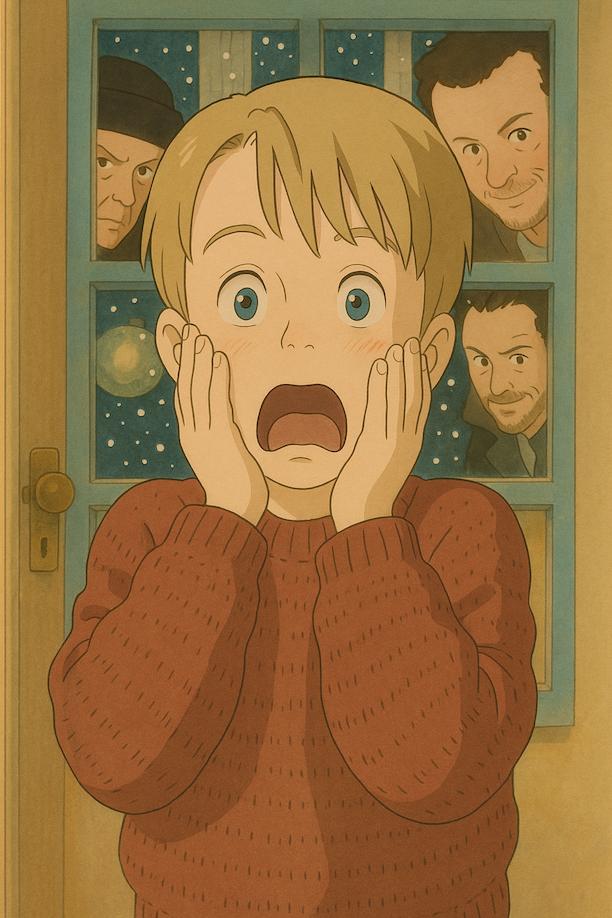
Studio Ghibli style leans on lush, painterly backgrounds, rounded character linework, and warm natural light — the look built by decades of hand-drawn Japanese animation. Our photo to anime engine studies your face, hair, and framing, then repaints the whole scene in that same soft, storybook palette. The result reads like a still pulled from an animated film, not a filter slapped over your photo.
Studio Ghibli style questions
Does the Ghibli transformation redraw my background too, or just me?
Everything — the engine repaints your entire photo, not just your face, into Ghibli's soft, painterly world: hand-drawn textures, warm natural light, and gentle color grading applied to both you and your surroundings.
Will I still look like myself?
Yes. The engine keeps your real facial structure, hairstyle, and expression — it restyles the linework and lighting around you, it doesn't replace your face with a generic anime template.
Can I place myself in a specific Ghibli-style setting?
Yes — Ghibli style supports optional background scenes: Totoro Forest, Castle in the Sky, or the Spirit Bathhouse from Spirited Away. Pick one on the transform page before generating.
Can I turn a photo with more than one person into Ghibli style?
The standard transform works on one subject at a time. For couples, friends, or families, use Group Mode (2–4 people) — Studio Ghibli is one of its supported styles too.
Ready to see yourself in Studio Ghibli style?
Upload a photo and get your portrait in under a minute.
Create my Studio Ghibli portraitOther styles to explore